Skip To Main Content
Account
Settings
Logout
placeholder
Account
Settings
Logout
Filter:
All Files
Submit Search
Interaction Insights Administrator's Guide - AudioCodes
Notice
About Interaction Insights
Onboard Interaction Insights
About this Guide
Interactions
Active Calls
My Active Call
Instant Messages
Recording Settings
Managing Recording Profiles
Add a Recording Profile
Modify a Recording Profile
View a Recording Profile
Synchronize a Recording Profile
Download and Run Microsoft Script
Disable a Recording Profile
Delete a Recording Profile
Recording Profile-Call Type Configuration Examples
Access Profiles
Analytics Profiles
Device Recording Profiles
Recording Entities
System Settings
Monitoring
User Language
Help
You are here:
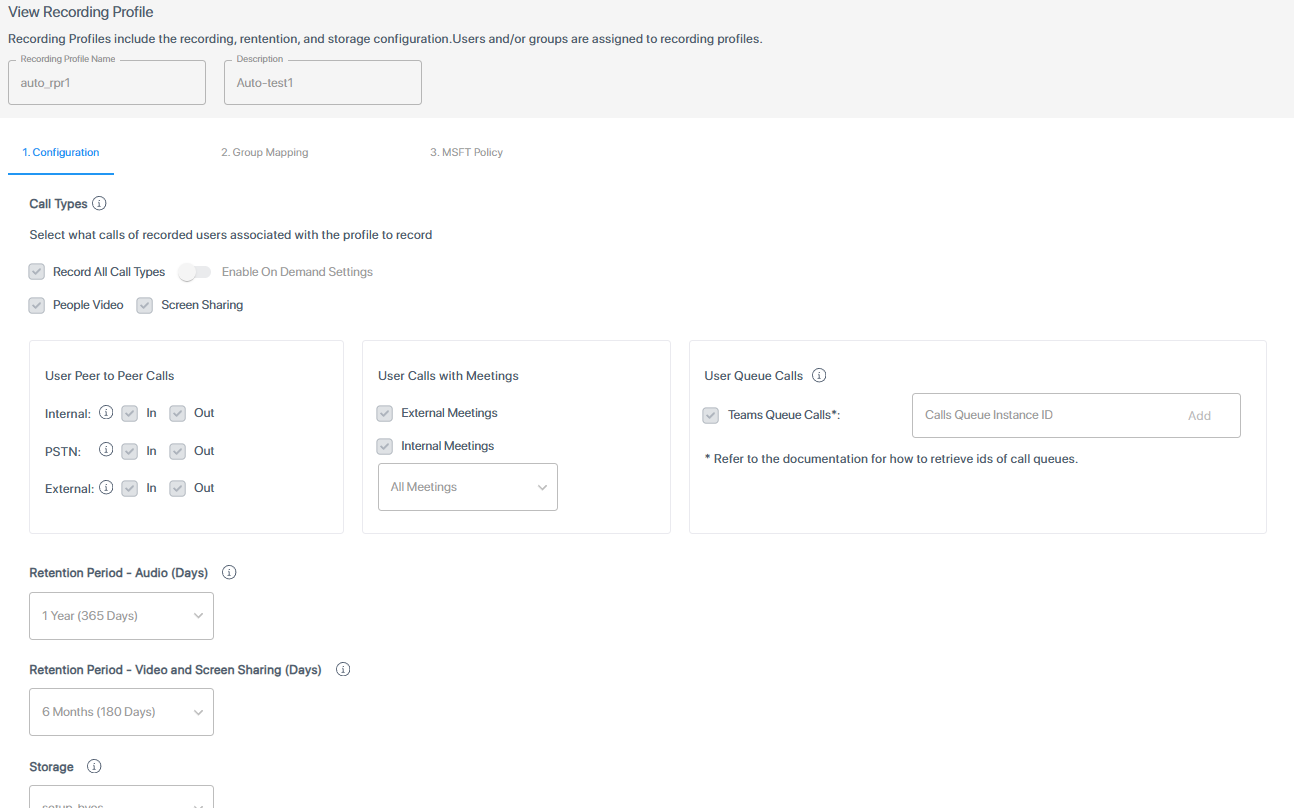
View a Recording Profile
You can view the settings for an existing Recording profile.
➢
To view a recording profile:
1.
In the Icon pane, click
, and then in the Navigation pane, select
Recording Settings
>
Recording Profiles
.
www.audiocodes.com